See and control your boiler from your phone.
TermOS connects to your heating boiler. On your phone you see the radiator temperature, the hot water and any errors. You say what temperature you want, and the boiler burns only as much as it needs to.
Prototype in testing. Not on sale yet.
Three steps and your boiler is on your phone
An authorised installer does the fitting, as with any equipment connected to the boiler.
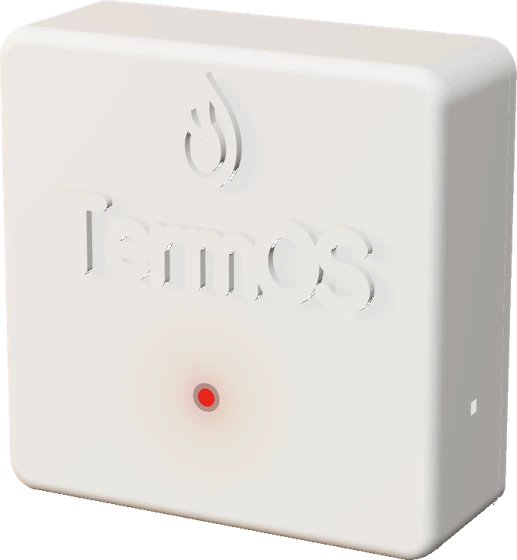
The installer mounts the box
Next to the boiler, in an easy-to-see spot.
The installer connects two wires
Where the thermostat used to connect, plus power from a socket. Your old thermostat stays connected as a backup.
You open the page on your phone
You connect to your home WiFi and see the boiler. Done.
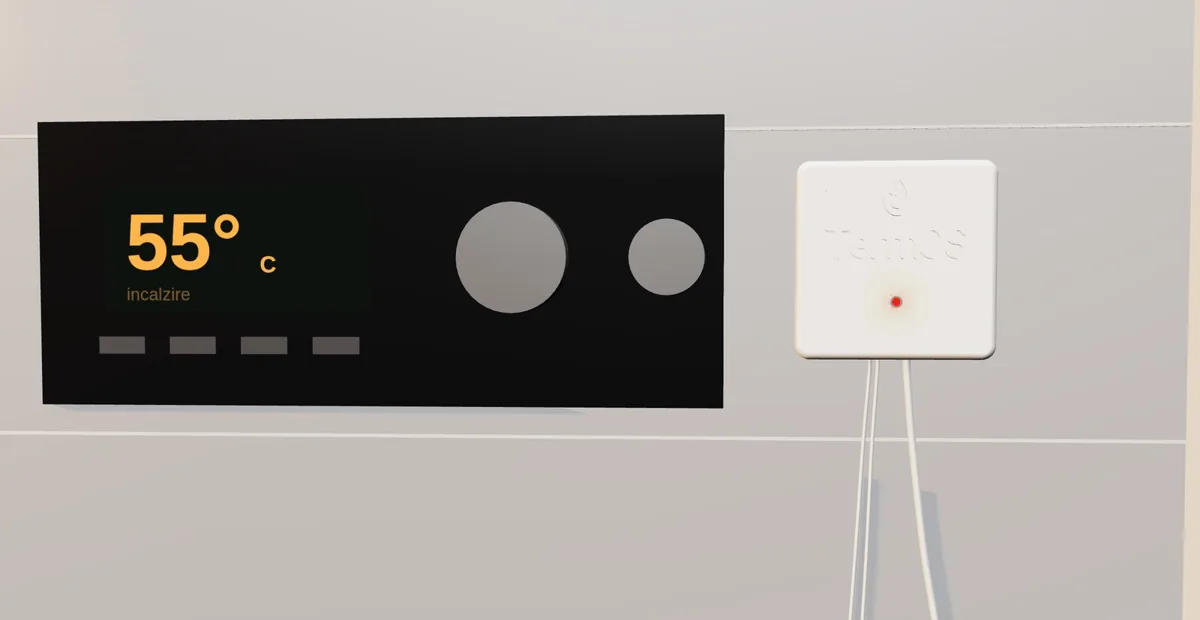
You can always go back. From the app you switch TermOS off with one toggle, and your old thermostat takes control again, exactly as before.
Open the page and see your boiler
It opens in your phone’s browser, with no app to install. It works at home, on your WiFi, and with the optional Cloud subscription from anywhere.
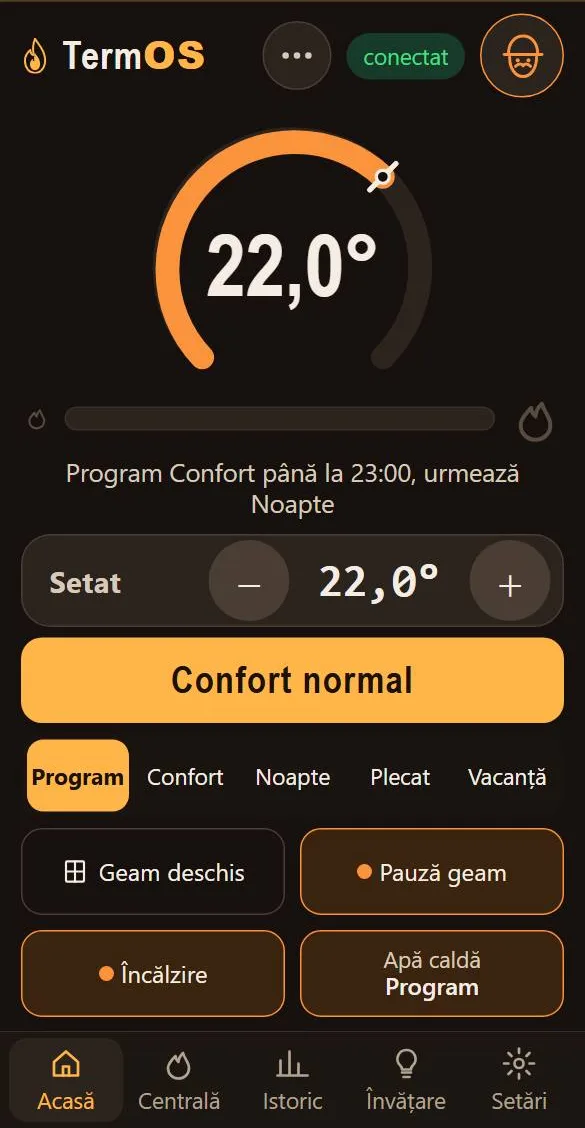
Home
The room temperature, the set one and the chosen mode.
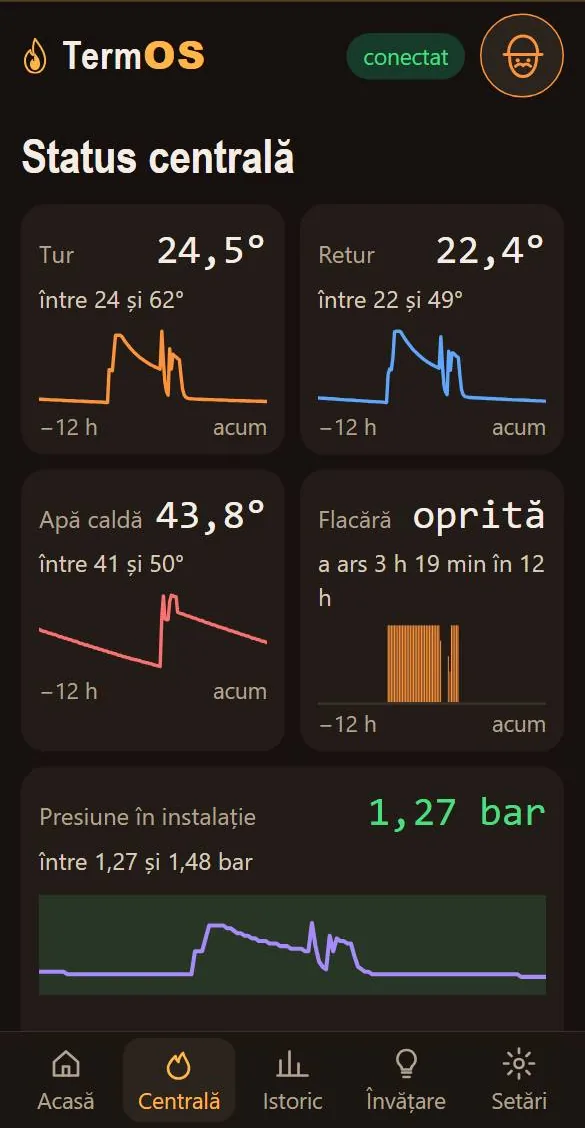
Boiler
Radiator water, hot water, flame and pressure over the last 12 hours.
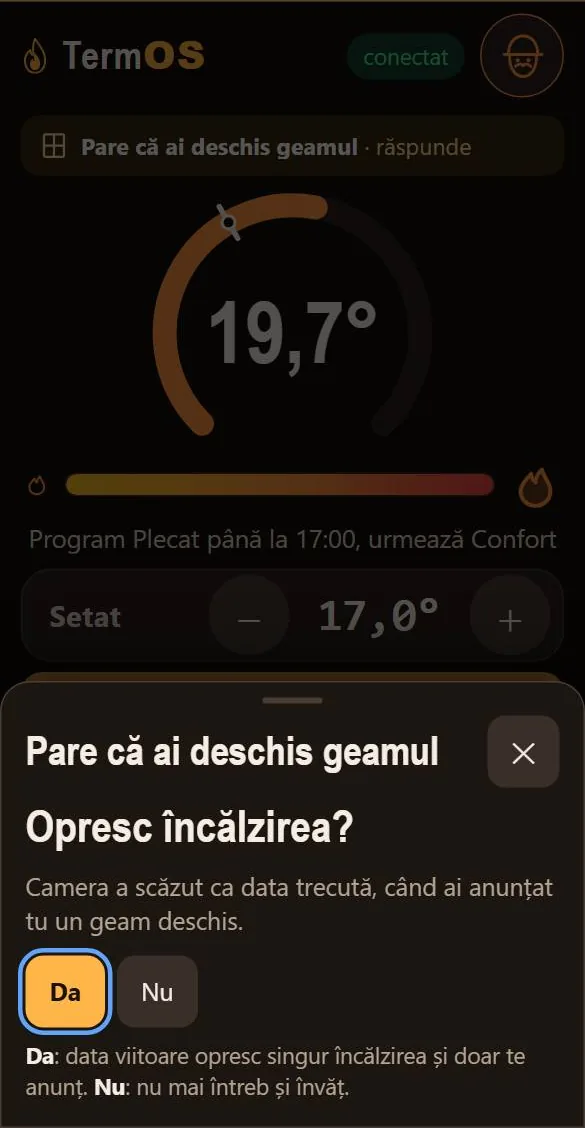
Open window
When it looks like you opened a window, it asks whether to stop the heating.
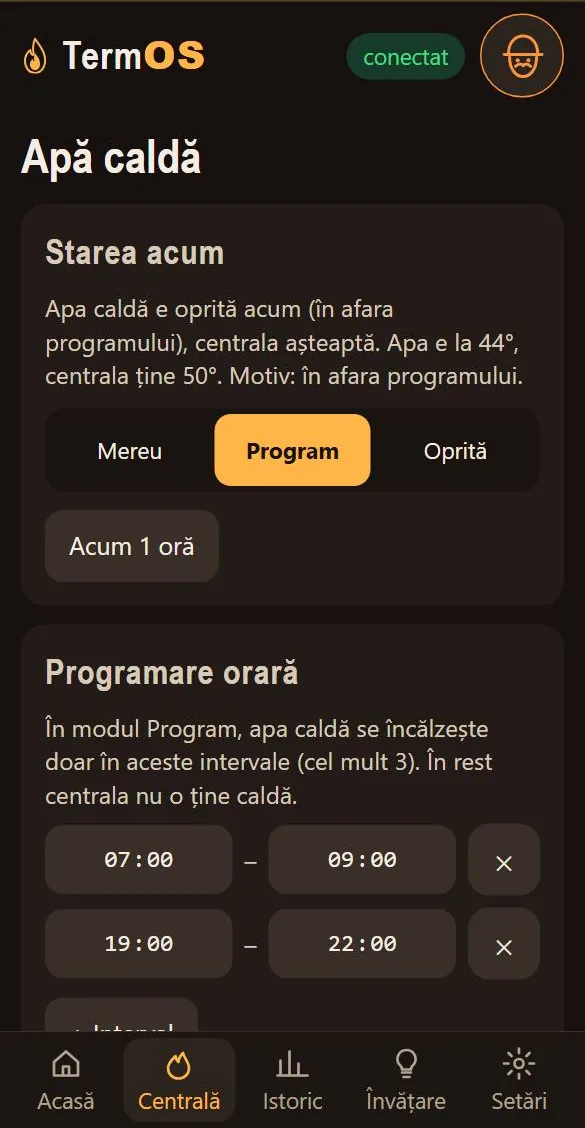
Hot water
You choose when the hot water is heated, by the hour.
Screenshots from the demo, with simulated data (interface in Romanian). The demo does not control any boiler.
The boiler burns as much as needed, not on and off all the time
An ordinary thermostat has two commands: on and off. The flame goes to full power, the room gets too warm, then everything stops and starts over. TermOS tells the boiler what temperature you want, and it adjusts its flame.
Ordinary thermostat
The flame fires at full power, then stops. The room heats up too much, then cools down: the temperature swings up and down.
TermOS
The flame power is modulated. The room temperature varies far less.
TermOS COMFORT
The idea: TermOS learns how much heat your home loses at each outdoor temperature and sends the radiators the heat that covers the loss. This feature is in development; so far it has only been tested on a bench, with a simulator, not on a real boiler.
Illustrative diagram, not measurements. Same scale on all three. We do not promise any particular saving: it depends on your home and your boiler.
The right flame
The boiler burns slowly and steadily, instead of firing briefly at full power and stopping. If it burns only what is needed, less gas is wasted; how much depends on your home.
Learn about a fault and send it to your installer
Pressure dropping or the boiler going into fault? You see the code on your phone, not when the radiators go cold. Tap “Send the error” and it reaches your installer, on WhatsApp or email, with the boiler’s details.
See how hard the boiler works
How strongly the flame burns, how many times it started, how many hours it ran. Consumption is no longer a surprise on the bill.
Less wear
Fewer starts and stops can mean less strain on the boiler.
It connects to the rest of your home
Home Assistant
If you use it, TermOS shows up there on its own: charts, history, notifications.
Automations
The automation server is already built into TermOS. If you know your way around, you will configure it easily.
Local or cloud
It runs locally, in your home. With the optional Cloud subscription you have access from anywhere.
What you can order, once you can
We are not selling yet. Choose what interests you and leave your email: we will tell you when ordering opens. No price, no payment, no obligation.
TermOS Prototype in testing
You see and control the boiler from your phone. Alerts when a problem appears. No subscription.
TermOS COMFORT In development
Keeps the home temperature using a thermometer and the weather outside. Weekly schedule, holiday mode. Added through an update, without changing anything in your home.
TermOS Cloud Planned
You see and control the boiler from anywhere, not only at home. Optional subscription, no contract.
Temperature sensors Planned
A room thermometer and an outdoor sensor, for TermOS COMFORT.
If you are on the list, you hear the price first. While you have a Cloud subscription, updates are free.
Does it work with your boiler?
Many modern boilers can be connected to TermOS. Tell us the make and model: we check and reply by email, free of charge.
Examples of brands with compatible models (“OpenTherm” is the common language many modern boilers speak), according to published lists; it depends on the model; some require a remote-control accessory. * via the manufacturer’s connection module. Brands belong to their owners.
Arrive at the job prepared, not guessing
When the boiler has a fault or runs outside its normal range, TermOS shows it on the owner’s phone. From the app, they send it to you in one tap, by WhatsApp, email or wherever they like, with the code and the boiler’s details.
Customers who call you
The fault goes straight to their installer, not to whoever comes first in the phone book.
Prepared visits
You get the error code, the pressure and the time. You can prepare the right part before you set out.
Fewer wasted trips
You know in advance what is wrong, not only once you are on site.
The alert arrives by itself, with CloudComing soon, in development
If the owner lists you as their installer, you get the alert by email without the owner having to send it.
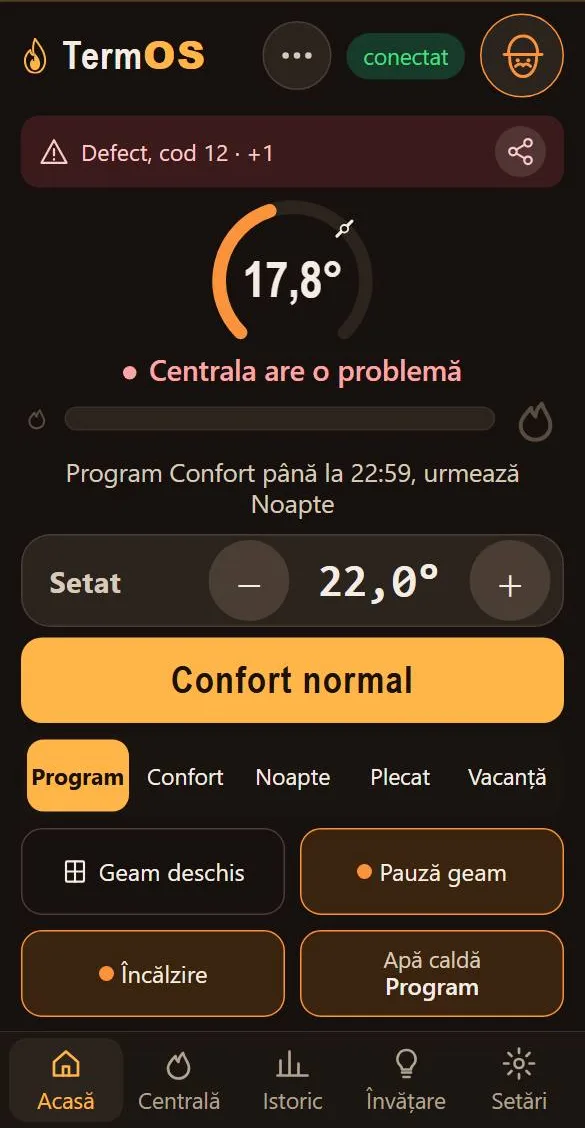
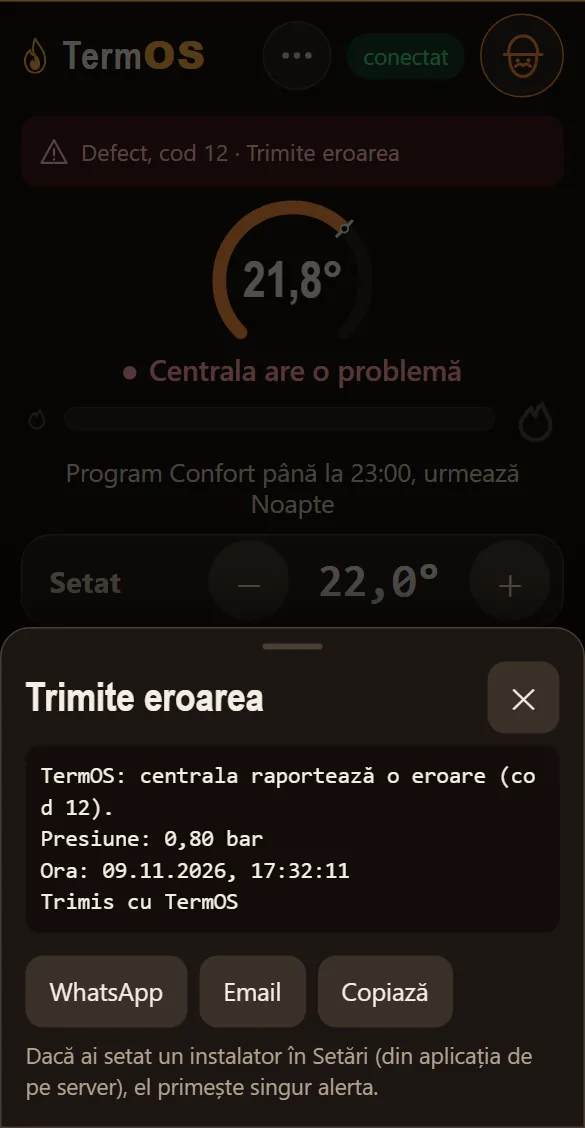
Screenshots from the demo, with simulated data (interface in Romanian). Automatic sending to the installer with Cloud is in development, not delivered.
For installers and distributors
Technical data, prototype
- Boiler
- Connects where the thermostat connected
- Connection
- 2 wires, no polarity
- Safety
- Radiator water 10–60 °C; commands stop by themselves if anything is off
- Power
- USB 5 V
- Enclosure
- 86 × 86 × 30 mm, double-sided tape or screws
- Radio
- WiFi 2.4 GHz
- Integration
- Local page, Home Assistant
- Certification
- CE, planned before sale

“As an engineer, it bothered me that a modern boiler is controlled like a light bulb. As a maker, I built the solution. TermOS gives your boiler the information and control it deserves.”
Adrian OlteanEngineer and maker, founder of TermOS, Bucharest. Designed in Romania.
Term, from “termos”
The insulated flask that kept a drink hot (in Romanian, “termos”). That is where we started: heat kept carefully, without waste.
OS, the operating system
Just as an operating system holds a computer together, TermOS ties together the boiler, the phone and the other devices in your home.
Frequently asked questions
Can it damage the boiler?
No. TermOS talks to the boiler in the same “language” compatible thermostats use. It changes nothing inside it. The requested temperature is limited to between 10 and 60 °C, and if anything unusual appears, commands stop on their own.
Does it only show, or also control?
Both. You see what the boiler is doing and can change the radiator and hot-water temperature straight from your phone. What exactly it accepts depends on your boiler; we check it before you buy.
Which boilers does it work with?
With many modern boilers that accept control over OpenTherm, the common language of thermostats. It depends on the model, and some need an accessory. Send us the make and model and we check for free.
Will I lose my boiler’s warranty?
TermOS connects where the thermostat used to connect, with no work inside the boiler. Warranty terms differ from one manufacturer to another; if in doubt, ask your authorised service centre.
Who installs it?
We recommend a certified installer, as with any equipment connected to the boiler. They need two wires, at the thermostat’s location, and a power supply from a socket. If you already have a thermostat, the installer keeps it connected as a backup.
Does it work without internet?
Yes. The interface runs on the device, on your home WiFi network. It can also start its own access point. With the optional Cloud subscription you have it when you’re away from home too.
What happens to my thermostat?
TermOS is installed in place of the thermostat, and your thermostat stays connected through it, as a backup. From the app you can switch TermOS off at any time with a single toggle, and your old thermostat takes control again, exactly as before. You switch it back on from the same toggle. The same happens on its own if TermOS loses power. If you don’t have a thermostat, TermOS replaces it.
How much does it cost?
The price is announced at launch, and those on the list hear it first. Comfort and Cloud are optional: you add them only if you want, later, without changing anything in your home.
Reserve your spot at launch
- The first units go to those on the list.
- We tell you the price before anyone else.
- We check for free whether your boiler is compatible.
Prototype in testing. Not on sale yet.